
Follow this guide to create a USDT (ERC20) wallet address. Note, you could use this address only to accept USDT (issued on Ethereum blockchain) on your Tokpie exchange account. So, if you want to create your own wallet under your full control, then use this wallet provider.
1. Sign up
Enter your email address here and click the "Register" button.
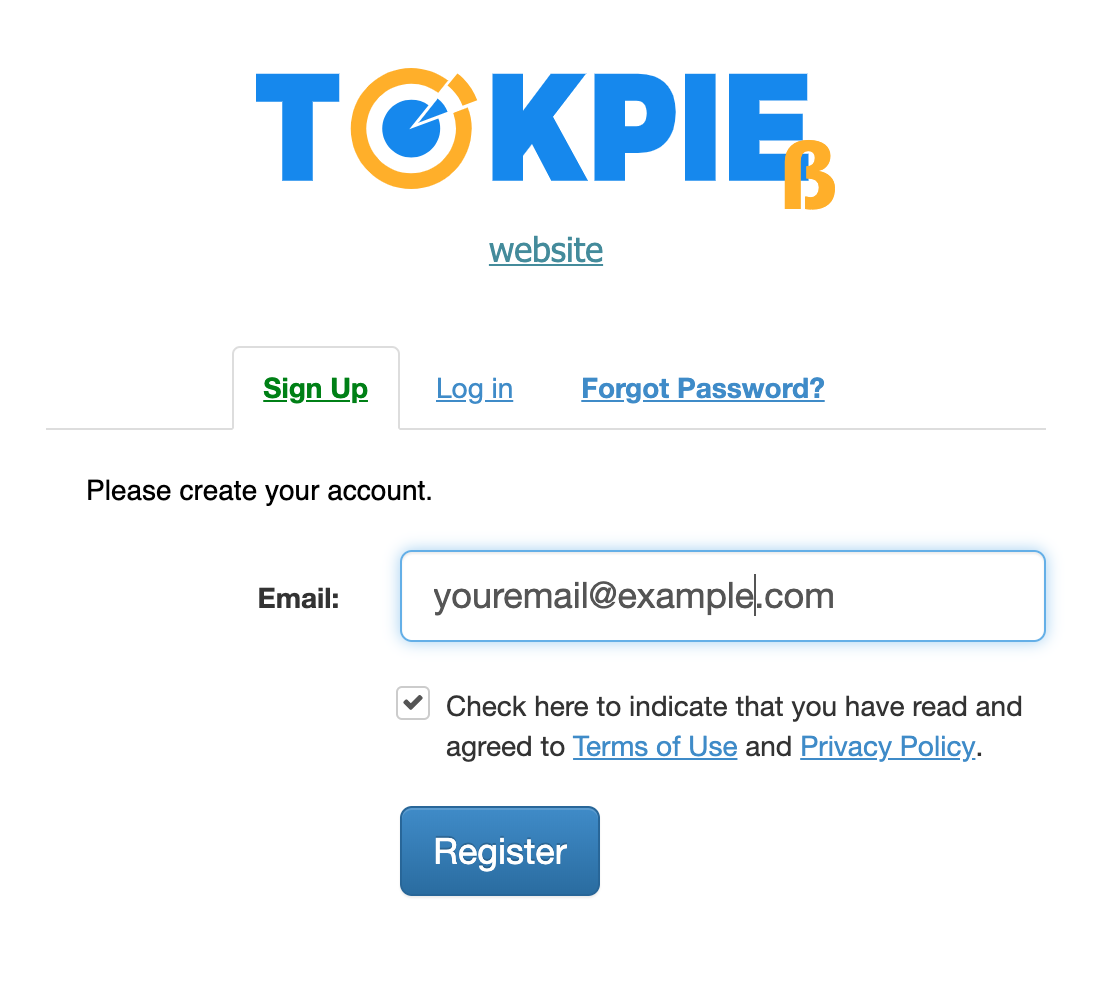
1.1 You will receive an activation email containing a confirmation link.
Confirm your registration by clicking the link in the email.
If you do not receive an activation (confirmation) email please check the spam folder of your email and if you have not received the email please contact support.
1.2 Then, you will receive an email containing Your login and automatically generated password.
Log in https://tokpie.com/ and fill the profile.
2. Generate USDT wallet address
Select the Balance Details tab, type usdt in the search field, then click on [+Deposit] button.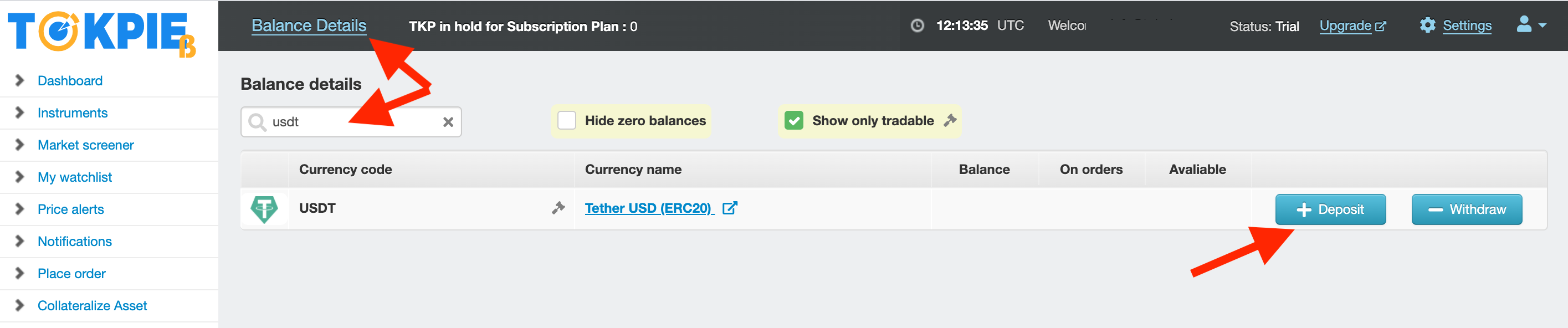
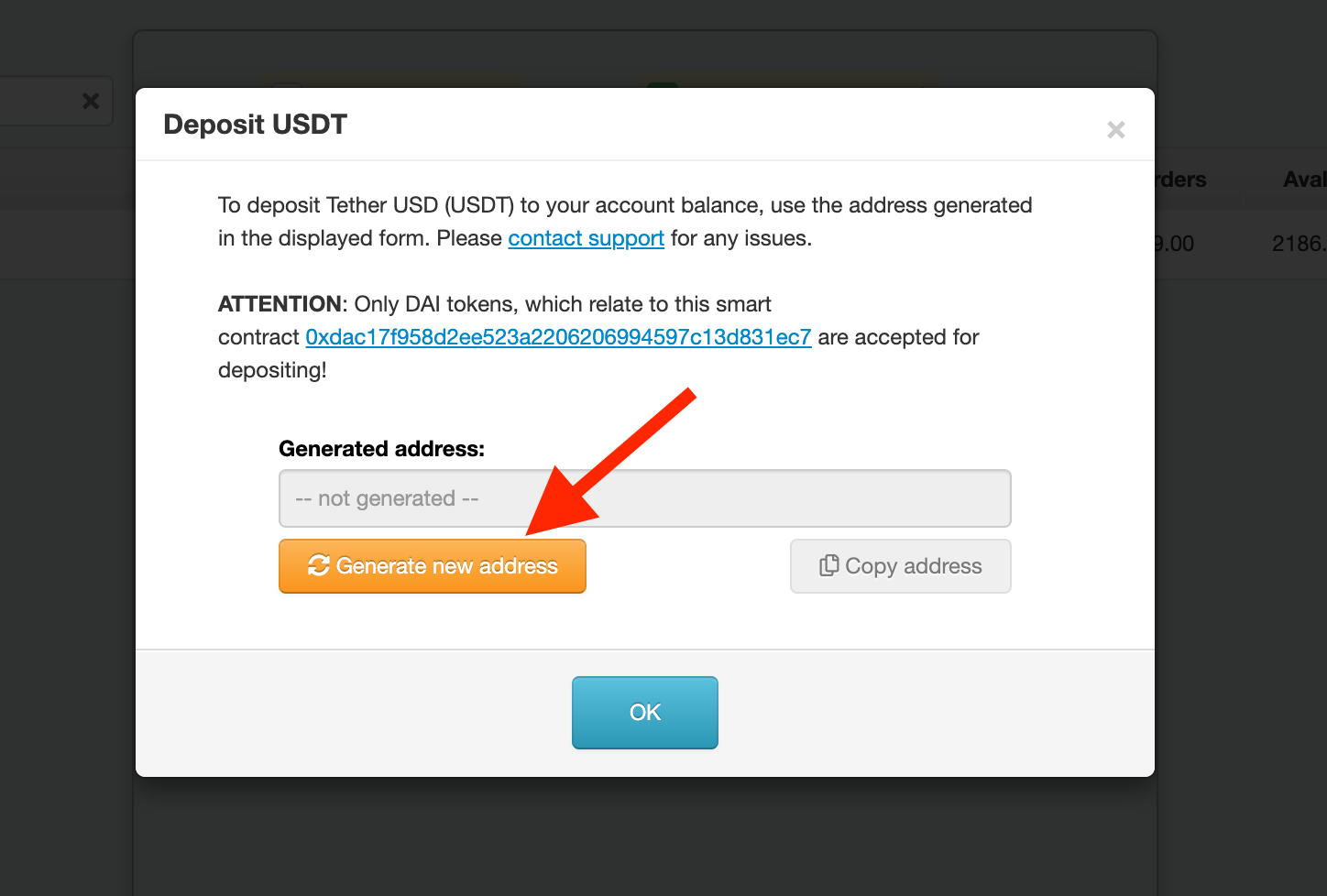
On the pop-up page, click on [Generate new address] button.
Learn more about Tether USDT: https://tokpie.io/blog/tether-usd-ethereum-blockchain-usdt/
Comments
0 comments
Please sign in to leave a comment.